Wherever it comes from, it lands in the same queue
The customer writes in your form. Or they call, come to the counter, send an email, and the team logs it. Both routes end in one case.
Complaint form
With name, email, phone, description and consent, and a link to your privacy policy. It is built in the same designer as surveys, in your own look.
Logged by the team
For anything that came by phone, at the counter or by email. You also record when it was received, even if you log it later, so the deadlines count from the right moment.
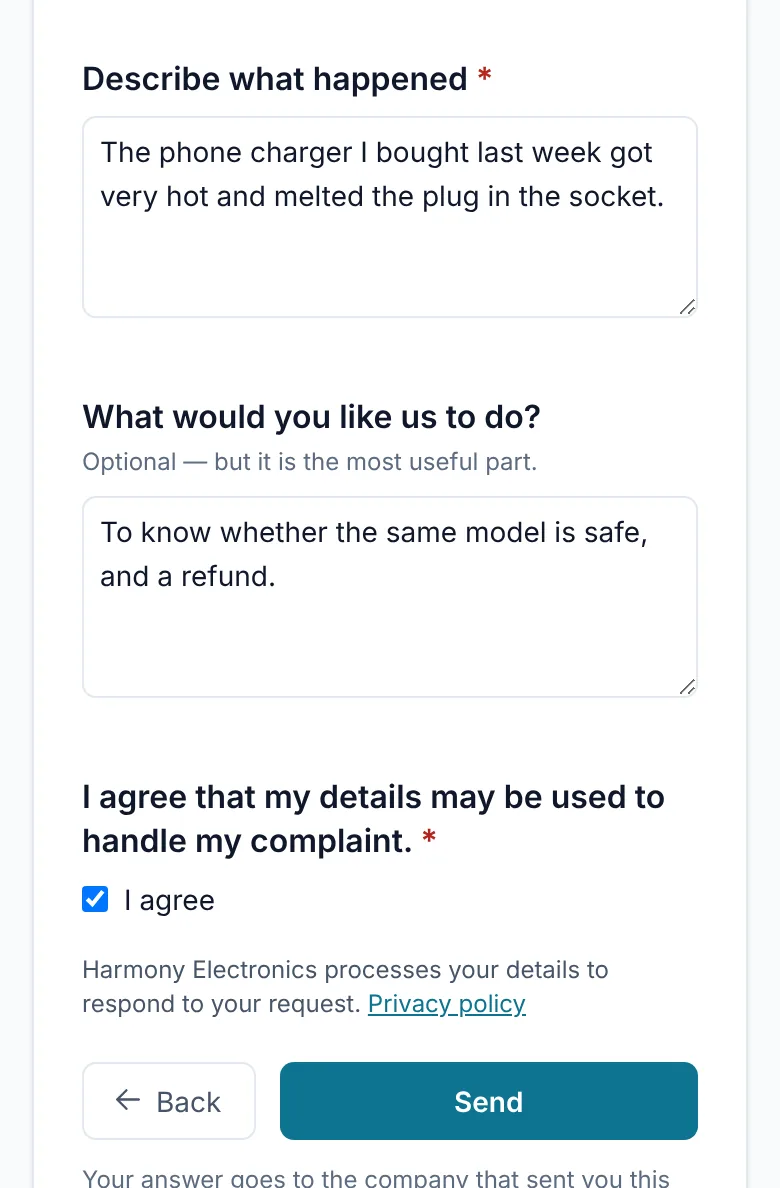
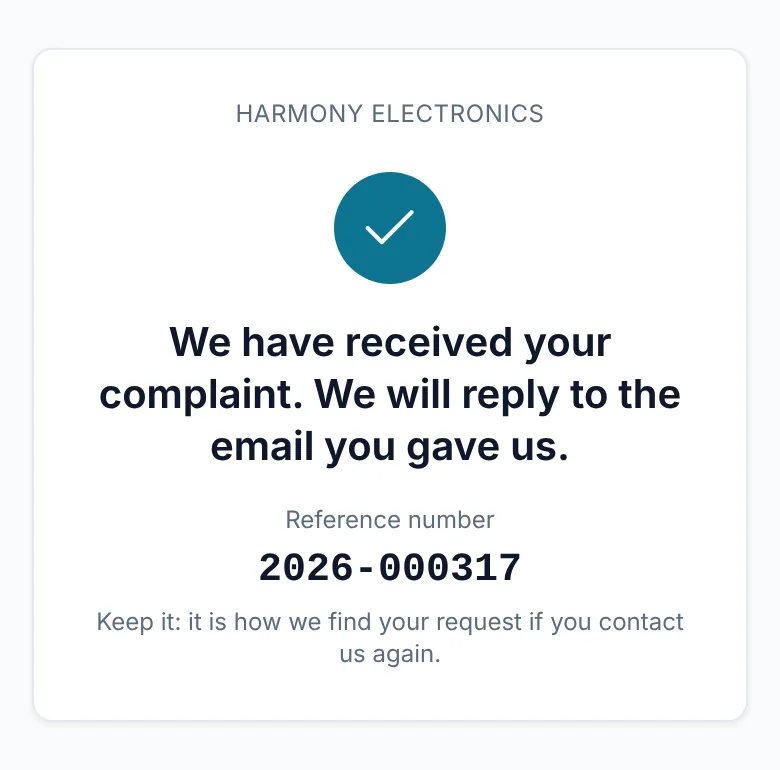
A reference number for every complaint, per year and without gaps. The customer sees it as soon as they send the form, and the team gives it over the phone. The form is split into pages, and shows your privacy policy before sending.
One owner, one log, one outcome
Every complaint becomes a case with a status, an owner, a severity and a category. Everything that happens is written down, and nothing is deleted.
- Received
- Investigating
- Answered
- Closed
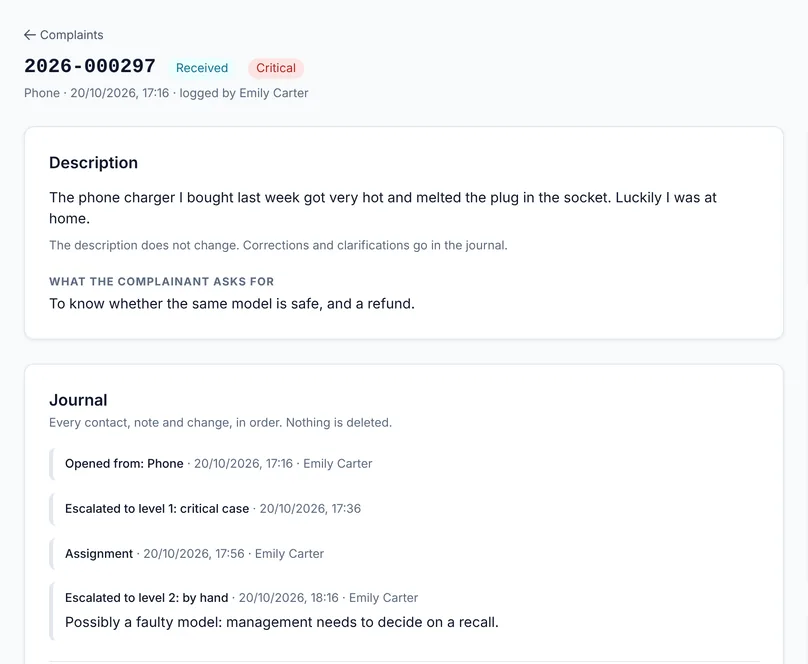
- Severity only goes up. A flag from the team (safety, legal) makes it critical. A high-value customer, a customer who mentioned leaving, or one who writes again within 90 days raises it to high.
- The original text never changes. Corrections and clarifications go into the log, next to every contact, assignment and status change.
- It closes with an outcome, a resolution and a root cause, from lists you define. It reopens within 30 days, and after that a new case is opened that remembers the previous one.
- The team is notified by email, Slack or Teams for every new case. A critical one arrives at once, even at night.
Two deadlines on every case, counted in your own working hours
First contact and final answer, per severity. In working days or in clock hours, as you set them.
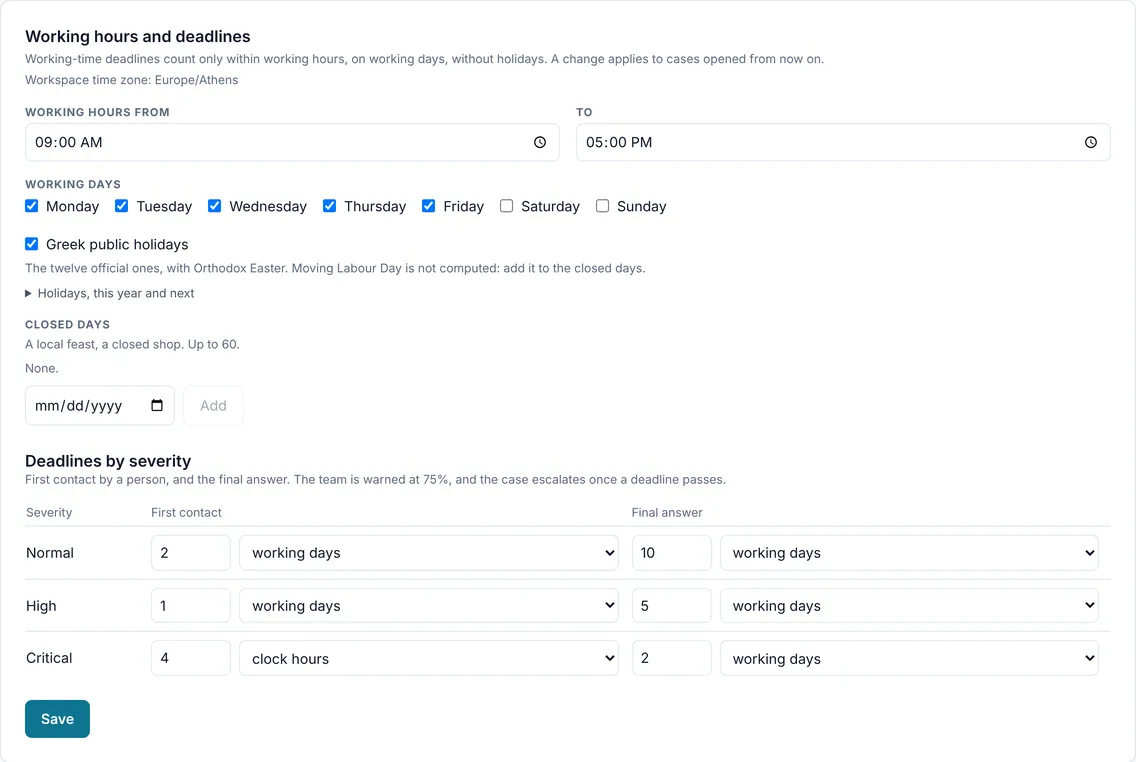
- Greek public holidays count on their own, including Orthodox Easter, Clean Monday and Whit Monday. You add your own closed days.
- A warning at 75% of the time, to the owner of the case.
- Escalation in two levels: to the complaints manager when first contact is missed, to management when the final answer is missed. And by hand, with a reason that stays in the log.
- The queue is sorted by deadline: whatever is due first comes first, and every row says how much time is left.
You don't have to open the queue to know what is waiting for you
On every user's home page, a card says what needs someone today. And when a complaint is overdue, the menu shows it with a red number.

- Every number opens the queue filtered, and you find exactly the same cases there.
- Yours: the cases you own, and how many of them are past their deadline.
- New since your last visit, from the form and from the team.
- When something is urgent, the card moves to the top. When all is well, it shrinks to one line.
You don't just close the complaint. You find out why it came.
A complaint is rarely the only one. In Sightelle it sits next to the tickets, reviews and survey answers that say the same thing.
Complaints inside the themes
The description of every complaint becomes part of a theme, like any other customer comment. The case shows which themes it ended up in, and the theme how many complaints are behind it.
Category and root cause as filters
The category and root cause you record at closing become analysis axes: how many complaints about late delivery, and what their root cause is.
A task in the team's tool
One click, and the case becomes a task in ClickUp, Jira or Linear, with number, category, severity and deadline, and without the customer's name or details.
How well you handle them, in numbers that hold up
The live picture (open, overdue per severity, workload per handler) and five metrics for the last 30, 90 or 365 days: first contact and final answer on time, time to answer, reopened cases, and how many were upheld.
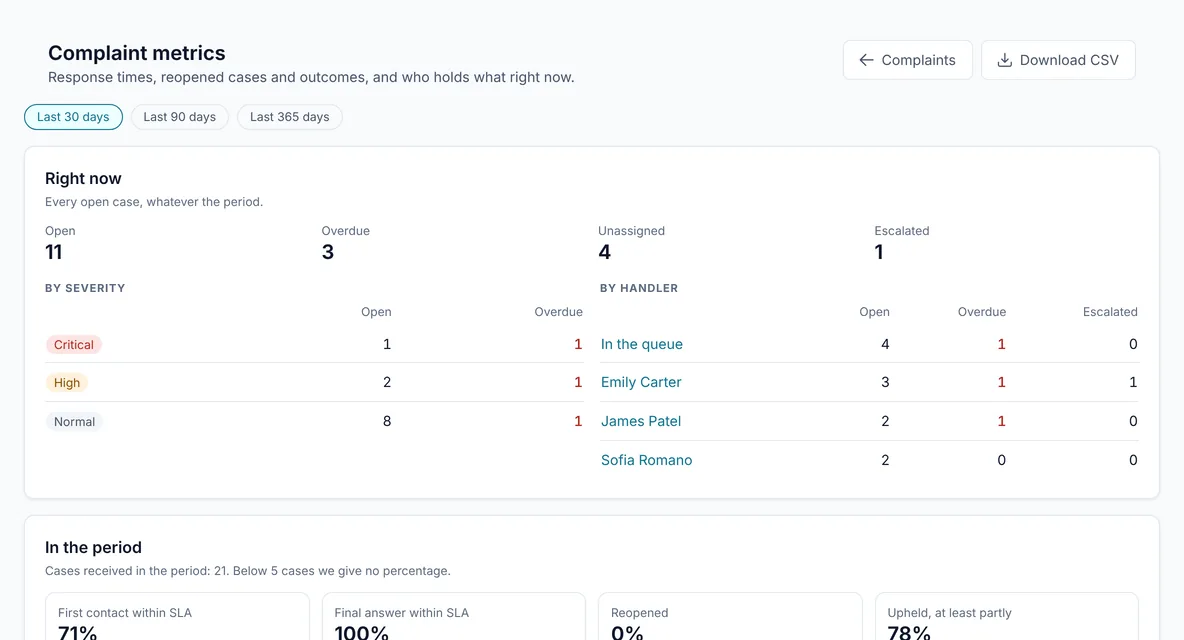
A percentage is given only from 5 cases up: below that, a percentage says more than it knows.
- In the weekly report, as one line: how many came in, how many closed, how many got first contact on time, how many are overdue.
- CSV export with times, outcomes, resolutions and root causes, without name, email, phone or description.
- Management sees the metrics without seeing people: a user with a read-only role sees only numbers.
People's details, with the care they deserve
A complaint carries a name, a phone number and a story. Who sees them and how long they are kept is designed in from the start.
Only the people who handle them
Cases are visible only to users with a handling role. Notifications, tasks and team channels give the number and severity, never a name or a description.
Retention you decide
A closed case is kept for 5 years from closing, or as long as you set up to 20, and is then deleted in full, on its own.
Requests from individuals
When someone asks for their data, their cases are found and exported with the full log. While retention applies they are not deleted, and the screen says so before any deletion.
Numbers are never reused
A reference number stays its own forever, even if you empty the workspace's data.
Complaint management is included in Enterprise, and is an add-on to Pro with its own price. Talk to us to see it with your own data.
See it with a real complaint
In a 30-minute demo, from the form to the metrics.